
PiGear Nano - Nano-ITX Raspberry Pi CM4 Carrier Board [discontinued]
The PiGear Nano is a high-performance Nano–ITX (12x12cm) carrier board for the Raspberry Pi Compute Module 4, primarily designed for industrial applications however makes a superb base for a Raspberry Pi Compute Module 4 office computer, family media centre, gaming console and more.
The board features 8x USB 3.0 ports, NVME SSD M.2 interface, Mini PCI-E LTE/4G/GPRS interface, 4x18-bit ADC channels, digital inputs/outputs, RS232, RS485, CAN bus, HDMI, Ethernet, real-time clock and more!
With so many resources onboard, the PiGear Nano is competent for industrial applications and all kinds of home projects. The PiGear Nano is also supported by UWI (UUGear Web Interface), allowing you to easily access your PiGear Nano via mobile phone, tablet or PC.
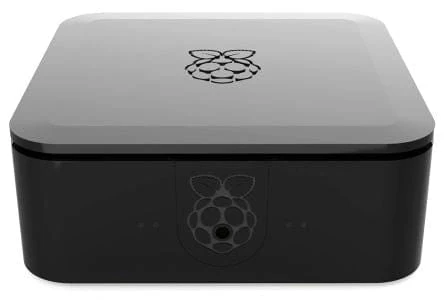
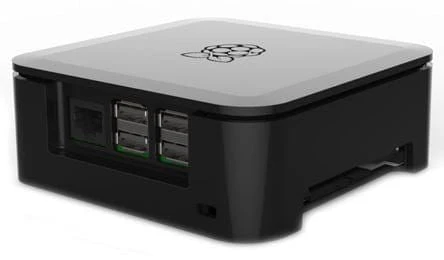
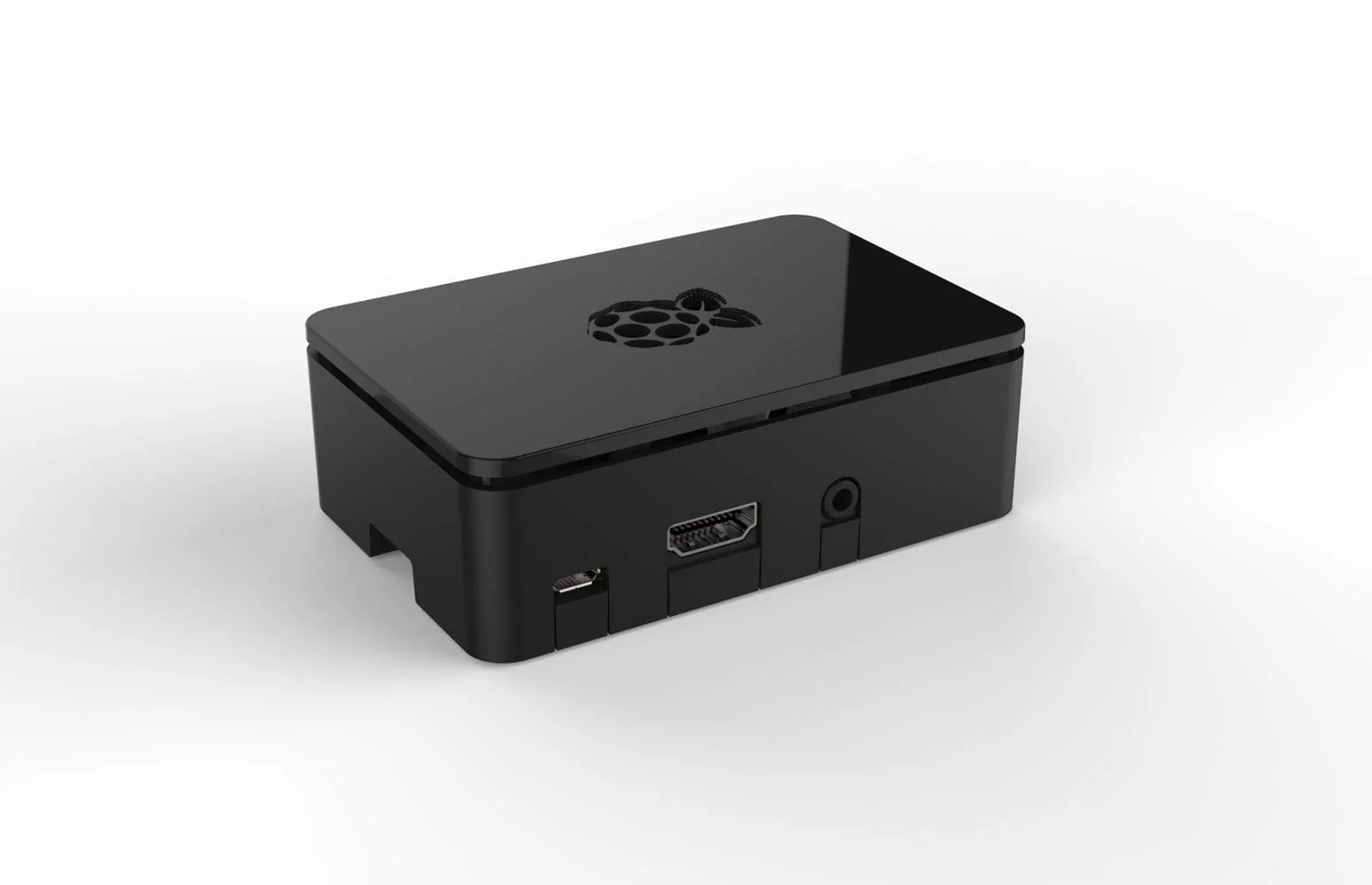
The PiGear Nano works with all models of Raspberry Pi Compute Module 4 (with or without eMMC). We also stock a Nano-ITX case designed specifically for the PiGear Nano.
For technical support with this product, please contact UUGear.
Specifications
| Network | Gigabit-Ethernet RJ45 socket x 1 |
| MINI PCI-E LTE/4G/GPRS interface x 1 | |
| On-board SIM card slot x 1 | |
| USB | USB 3.0 Type-A connector x 8 |
| USB 2.0 Type-C connector x 1 (for flashing CM4/powering the board) | |
| Analog & Digital I/O | 18-bit ADC input x 4 |
| Digital input x 4 | |
| Digital output x 4 | |
| Configurable digital I/O x 4 | |
| Signal Interface | RS232 x 2 |
| RS485 x 2 | |
| CAN x 1 | |
| Wire interface x 1 | |
| Storage | NVME SSD M.2 interface x 1 |
| Micro SD card slot x 1 (for Compute Module 4 Lite only) | |
| Display | HDMI Type-A connector x 1 |
| MIPI DSI interface x 1 | |
| Camera | MIPI CSI interface x 1 |
| Other | Real-time clock x 1 (with supercapacitor for timekeeping) |
| Buzzer x 1 | |
| Power Indicator x 1 | |
| Programmable LED indicator x 1 | |
| 5V fan interface (PH2.0 connector) | |
| Power button x 1 (with extension connector) | |
| Reset button x 1 (with extension connector) | |
| Power Supply | DC 7V~30V (with reverse polarity protection) |
| or DC 5V (via USB Type-C connector) | |
| Quiescent Current | ~1mA |
| Board Size & Weight | NANO-ITX 12 x 12 cm, 150g |
| Operating Environment | Temperature -30°C~80°C (-22°F~176°F) |
| Humidity 0~80%RH, no condensing | |
| No corrosive gas |
Resources
Software Installation
To install PiGear Nano’s software, please run this command in your home directory:
wget https://www.uugear.com/repo/PiGearNano/installPiGearNano.sh
If your Raspberry Pi CM4 has an internet connection, it will immediately download the script from the UUGear website, and you will then see the “install.sh” script in your home directory. Then you just need to run this script with sudo:
sudo sh installPiGearNano.sh
You will need to use sudo to run this script because it also tries to modify the /boot/config.txt file (will make a backup first). The software will be installed in the “pgnano” directory and also UUGear Web Interface (UWI) will be installed/updated to “uwi” directory.
After installing the software, you need to restart your Raspberry Pi, so the UWI server will be running in the background. With the default configuration, you should be able to access your PiGearNano via UWI on address https://raspberrypi:8000/pgnano/.
If your Raspberry Pi does not use 'raspberrypi' hostname, or this hostname is not resolvable in your network environment, you need to modify the uwi.conf file in “uwi” directory to include the real IP address of your Raspberry Pi.
Package Contents
- 1x PiGear Nano board
- 1x 6x6x5 heat sink (for VL805 chip on the back of the board)
- 4x M3x8 metal standoff
- 4x M3 screws
- 3x M2 screws
- 5x 2.54–2P jumper cap
CM4 and case not included
Resources
The PiGear Nano is a high-performance Nano–ITX (12x12cm) carrier board for the Raspberry Pi Compute Module 4, primarily designed for industrial applications however makes a superb base for a Raspberry Pi Compute Module 4 office computer, family media centre, gaming console and more.
The board features 8x USB 3.0 ports, NVME SSD M.2 interface, Mini PCI-E LTE/4G/GPRS interface, 4x18-bit ADC channels, digital inputs/outputs, RS232, RS485, CAN bus, HDMI, Ethernet, real-time clock and more!
With so many resources onboard, the PiGear Nano is competent for industrial applications and all kinds of home projects. The PiGear Nano is also supported by UWI (UUGear Web Interface), allowing you to easily access your PiGear Nano via mobile phone, tablet or PC.
The PiGear Nano works with all models of Raspberry Pi Compute Module 4 (with or without eMMC). We also stock a Nano-ITX case designed specifically for the PiGear Nano.
For technical support with this product, please contact UUGear.
Specifications
| Network | Gigabit-Ethernet RJ45 socket x 1 |
| MINI PCI-E LTE/4G/GPRS interface x 1 | |
| On-board SIM card slot x 1 | |
| USB | USB 3.0 Type-A connector x 8 |
| USB 2.0 Type-C connector x 1 (for flashing CM4/powering the board) | |
| Analog & Digital I/O | 18-bit ADC input x 4 |
| Digital input x 4 | |
| Digital output x 4 | |
| Configurable digital I/O x 4 | |
| Signal Interface | RS232 x 2 |
| RS485 x 2 | |
| CAN x 1 | |
| Wire interface x 1 | |
| Storage | NVME SSD M.2 interface x 1 |
| Micro SD card slot x 1 (for Compute Module 4 Lite only) | |
| Display | HDMI Type-A connector x 1 |
| MIPI DSI interface x 1 | |
| Camera | MIPI CSI interface x 1 |
| Other | Real-time clock x 1 (with supercapacitor for timekeeping) |
| Buzzer x 1 | |
| Power Indicator x 1 | |
| Programmable LED indicator x 1 | |
| 5V fan interface (PH2.0 connector) | |
| Power button x 1 (with extension connector) | |
| Reset button x 1 (with extension connector) | |
| Power Supply | DC 7V~30V (with reverse polarity protection) |
| or DC 5V (via USB Type-C connector) | |
| Quiescent Current | ~1mA |
| Board Size & Weight | NANO-ITX 12 x 12 cm, 150g |
| Operating Environment | Temperature -30°C~80°C (-22°F~176°F) |
| Humidity 0~80%RH, no condensing | |
| No corrosive gas |
Resources
Software Installation
To install PiGear Nano’s software, please run this command in your home directory:
wget https://www.uugear.com/repo/PiGearNano/installPiGearNano.sh
If your Raspberry Pi CM4 has an internet connection, it will immediately download the script from the UUGear website, and you will then see the “install.sh” script in your home directory. Then you just need to run this script with sudo:
sudo sh installPiGearNano.sh
You will need to use sudo to run this script because it also tries to modify the /boot/config.txt file (will make a backup first). The software will be installed in the “pgnano” directory and also UUGear Web Interface (UWI) will be installed/updated to “uwi” directory.
After installing the software, you need to restart your Raspberry Pi, so the UWI server will be running in the background. With the default configuration, you should be able to access your PiGearNano via UWI on address https://raspberrypi:8000/pgnano/.
If your Raspberry Pi does not use 'raspberrypi' hostname, or this hostname is not resolvable in your network environment, you need to modify the uwi.conf file in “uwi” directory to include the real IP address of your Raspberry Pi.
Package Contents
- 1x PiGear Nano board
- 1x 6x6x5 heat sink (for VL805 chip on the back of the board)
- 4x M3x8 metal standoff
- 4x M3 screws
- 3x M2 screws
- 5x 2.54–2P jumper cap
CM4 and case not included
Resources
Description
The PiGear Nano is a high-performance Nano–ITX (12x12cm) carrier board for the Raspberry Pi Compute Module 4, primarily designed for industrial applications however makes a superb base for a Raspberry Pi Compute Module 4 office computer, family media centre, gaming console and more.
The board features 8x USB 3.0 ports, NVME SSD M.2 interface, Mini PCI-E LTE/4G/GPRS interface, 4x18-bit ADC channels, digital inputs/outputs, RS232, RS485, CAN bus, HDMI, Ethernet, real-time clock and more!
With so many resources onboard, the PiGear Nano is competent for industrial applications and all kinds of home projects. The PiGear Nano is also supported by UWI (UUGear Web Interface), allowing you to easily access your PiGear Nano via mobile phone, tablet or PC.
The PiGear Nano works with all models of Raspberry Pi Compute Module 4 (with or without eMMC). We also stock a Nano-ITX case designed specifically for the PiGear Nano.
For technical support with this product, please contact UUGear.
Specifications
| Network | Gigabit-Ethernet RJ45 socket x 1 |
| MINI PCI-E LTE/4G/GPRS interface x 1 | |
| On-board SIM card slot x 1 | |
| USB | USB 3.0 Type-A connector x 8 |
| USB 2.0 Type-C connector x 1 (for flashing CM4/powering the board) | |
| Analog & Digital I/O | 18-bit ADC input x 4 |
| Digital input x 4 | |
| Digital output x 4 | |
| Configurable digital I/O x 4 | |
| Signal Interface | RS232 x 2 |
| RS485 x 2 | |
| CAN x 1 | |
| Wire interface x 1 | |
| Storage | NVME SSD M.2 interface x 1 |
| Micro SD card slot x 1 (for Compute Module 4 Lite only) | |
| Display | HDMI Type-A connector x 1 |
| MIPI DSI interface x 1 | |
| Camera | MIPI CSI interface x 1 |
| Other | Real-time clock x 1 (with supercapacitor for timekeeping) |
| Buzzer x 1 | |
| Power Indicator x 1 | |
| Programmable LED indicator x 1 | |
| 5V fan interface (PH2.0 connector) | |
| Power button x 1 (with extension connector) | |
| Reset button x 1 (with extension connector) | |
| Power Supply | DC 7V~30V (with reverse polarity protection) |
| or DC 5V (via USB Type-C connector) | |
| Quiescent Current | ~1mA |
| Board Size & Weight | NANO-ITX 12 x 12 cm, 150g |
| Operating Environment | Temperature -30°C~80°C (-22°F~176°F) |
| Humidity 0~80%RH, no condensing | |
| No corrosive gas |
Resources
Software Installation
To install PiGear Nano’s software, please run this command in your home directory:
wget https://www.uugear.com/repo/PiGearNano/installPiGearNano.sh
If your Raspberry Pi CM4 has an internet connection, it will immediately download the script from the UUGear website, and you will then see the “install.sh” script in your home directory. Then you just need to run this script with sudo:
sudo sh installPiGearNano.sh
You will need to use sudo to run this script because it also tries to modify the /boot/config.txt file (will make a backup first). The software will be installed in the “pgnano” directory and also UUGear Web Interface (UWI) will be installed/updated to “uwi” directory.
After installing the software, you need to restart your Raspberry Pi, so the UWI server will be running in the background. With the default configuration, you should be able to access your PiGearNano via UWI on address https://raspberrypi:8000/pgnano/.
If your Raspberry Pi does not use 'raspberrypi' hostname, or this hostname is not resolvable in your network environment, you need to modify the uwi.conf file in “uwi” directory to include the real IP address of your Raspberry Pi.
Package Contents
- 1x PiGear Nano board
- 1x 6x6x5 heat sink (for VL805 chip on the back of the board)
- 4x M3x8 metal standoff
- 4x M3 screws
- 3x M2 screws
- 5x 2.54–2P jumper cap
CM4 and case not included